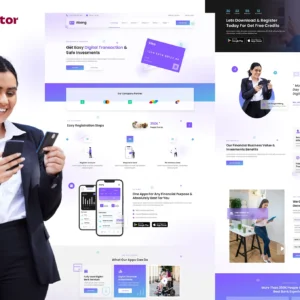
Appific is a sleek, modern, and highly customizable Mobile App Showcase theme designed exclusively for the Elementor Page Builder for WordPress. Whether you’re a developer, startup, or business looking to promote your mobile app or software, Appific provides a powerful platform to engage users, drive downloads, and build a compelling online presence.
With its professional design, seamless customization options, and fast-loading performance, Appific ensures that your app gets the attention it deserves. The theme comes equipped with essential marketing elements such as feature highlights, testimonials, call-to-action sections (CTAs), responsive video integration, pricing plans, and a newsletter signup form—all crafted to enhance user engagement and conversion rates.
Key Features
✅ Fully Customizable & No-Code Editing
Modify individual elements, fine-tune typography, and change colors—all with Elementor’s drag-and-drop visual builder, eliminating the need for coding knowledge.
✅ Modern & Professional Design
Crafted with a clean, contemporary layout that maximizes user experience and keeps visitors engaged.
✅ SEO-Optimized & Fast-Loading
Appific is built for speed and search engine performance, ensuring high rankings and seamless browsing across devices.
✅ Fully Responsive & Cross-Browser Compatible
Works flawlessly on desktop, tablet, and mobile devices, and is compatible with all major browsers, including Chrome, Safari, Firefox, and Edge.
✅ Pre-Installed Plugins for Seamless Integration
Comes with Elementor, Jeg Elementor Kit, and MetForm, ensuring that form building, customization, and page editing are effortless.
✅ Comprehensive Templates for Every Need
Appific includes multiple pre-designed pages, allowing you to launch your app website quickly and efficiently.
Pre-Built Page Templates
📌 Home – Showcase your app’s best features with a compelling first impression.
📌 Pricing – Display flexible plans with clear CTAs to drive conversions.
📌 About Us – Share your brand’s story and vision.
📌 Contact Us – Easy-to-use contact forms to keep your users engaged.
📌 Testimonials – Build credibility with user feedback and success stories.
📌 Features – Highlight key benefits and functionalities of your app.
📌 Team – Introduce your company’s team members.
📌 FAQs – Answer common user questions and concerns.
📌 Blog & Blog Details – Share insights, updates, and app-related news.
📌 404 & Coming Soon Pages – Keep visitors engaged even when a page is missing or the site is under construction.
Essential Sections & Blocks
🔹 Header & Footer – Professionally designed sections that frame your website beautifully.
🔹 Contact & Message Forms – Allow users to easily reach out for inquiries.
🔹 Registration Forms – Gather leads and signups effortlessly.
How to Use the Theme
1️⃣ Install the Envato Elements Plugin – Navigate to WordPress > Plugins > Add New and activate the Envato Elements plugin.
2️⃣ Upload the Template Kit – Go to Elements > Installed Kits and click Upload Template Kit (no need to unzip).
3️⃣ Install Required Plugins – Click the Install Requirements button to activate necessary plugins.
4️⃣ Import Templates – Start by importing Global Kit Styles, then select and import templates one at a time.
5️⃣ Edit & Customize – Use Elementor’s drag-and-drop builder to edit content, change styles, and customize pages to match your brand.
For detailed guidance, visit: Envato Elements WordPress Plugin Help
MetForm Integration & Form Customization
🔹 Import the MetForm block templates and enable the Navigator to edit form elements easily.
🔹 Select the MetForm widget and click Edit Form to modify, customize, and update your forms.
🔹 Insert pre-designed forms from ‘My Templates’ and adjust content as needed.
Configuring Global Headers & Footers
🔸 Header & Footer Setup
- Import the header/footer template.
- Go to Jegtheme > Header Footer, add a new section, and activate it for the entire site.
- Edit content using the Elementor builder and update your navigation menu.
🔸 Fully Compatible with Elementor Pro – Use the Theme Builder to further customize headers and footers.
Why Choose Appific?
🚀 Boost Engagement & Conversions – A well-structured app landing page optimized for user interaction.
🎨 Sleek, Minimal, & Modern Design – Clean aesthetics that enhance user experience.
🔧 Effortless Customization – No coding required, thanks to Elementor and drag-and-drop editing.
📈 SEO-Friendly & High Performance – Designed for speed, responsiveness, and search engine visibility.
🛠️ Ready-to-Use Templates – Pre-built pages and sections save time and effort.
🔗 Multi-Purpose & Versatile – Ideal for app developers, startups, software companies, and digital agencies.
📌 Note: Demo images from Envato Elements are used in this kit. To use them on your website, you need to purchase a license from Envato Elements, or you can replace them with your own.
Take Your App Marketing to the Next Level with Appific!
Appific is not just a theme—it’s a complete solution for promoting your mobile app, engaging your audience, and maximizing conversions. With its intuitive design, seamless Elementor integration, and feature-rich toolkit, Appific is the perfect choice for creating a powerful and professional app landing page.
📥 Get started today and make your app stand out with Appific! 🚀✨




There are no reviews yet.